Azerbaijan eVisa photo uploads fail most often due to wrong file format, oversized files, or iPhone HEIC incompatibility. Converting to JPEG under 500 KB and using Chrome resolves most errors. UK passport holders use the same evisa.gov.az portal as all nationalities.
To fix an Azerbaijan eVisa photo upload failure, convert your image to JPEG format, compress file size below 500 KB using a free tool like TinyPNG, and ensure minimum dimensions of 300 x 300 pixels. iPhone users must convert HEIC photos first. If the error persists, switch to Google Chrome and clear your browser cache.
Last verified: 5 September 2026. The ASAN Visa portal was tested on that date using Google Chrome. I personally encountered the “azerbaijan evisa photo upload failed” error twice before finding the fixes below – converting HEIC to JPEG in iOS Settings and compressing to under 500 KB resolved it immediately.
Disclaimer: This is an independent informational portal. We are not affiliated with the Government of Azerbaijan or ASAN Visa. Always verify requirements on evisa.gov.az before applying.
Azerbaijan eVisa Photo and Passport Scan Requirements (2026)
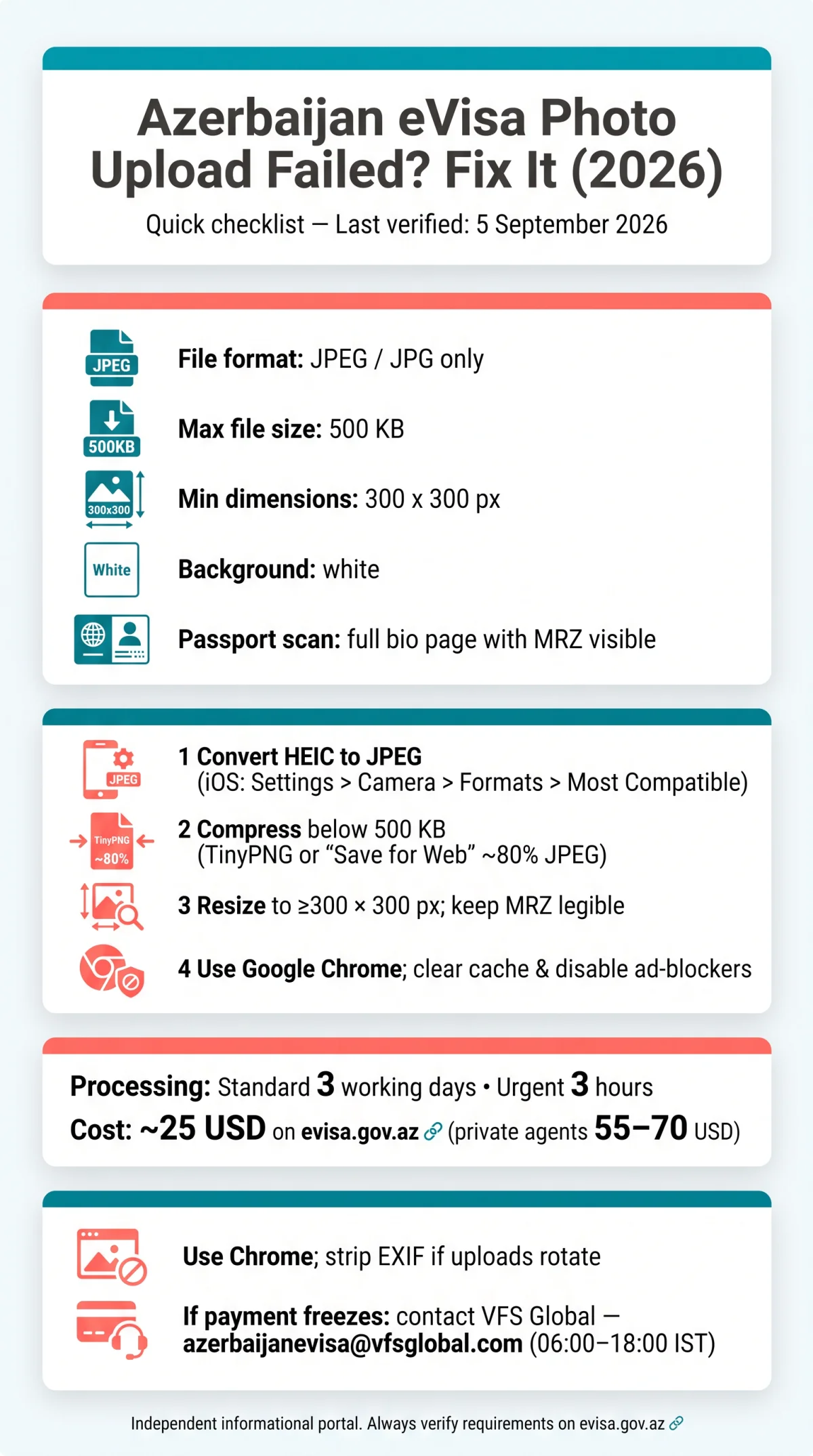
Azerbaijan eVisa photos must be JPEG, under 500 KB, minimum 300 x 300 px, white background, full passport bio page including MRZ. ASAN Visa uses automated OCR, so meet all specifications before uploading.
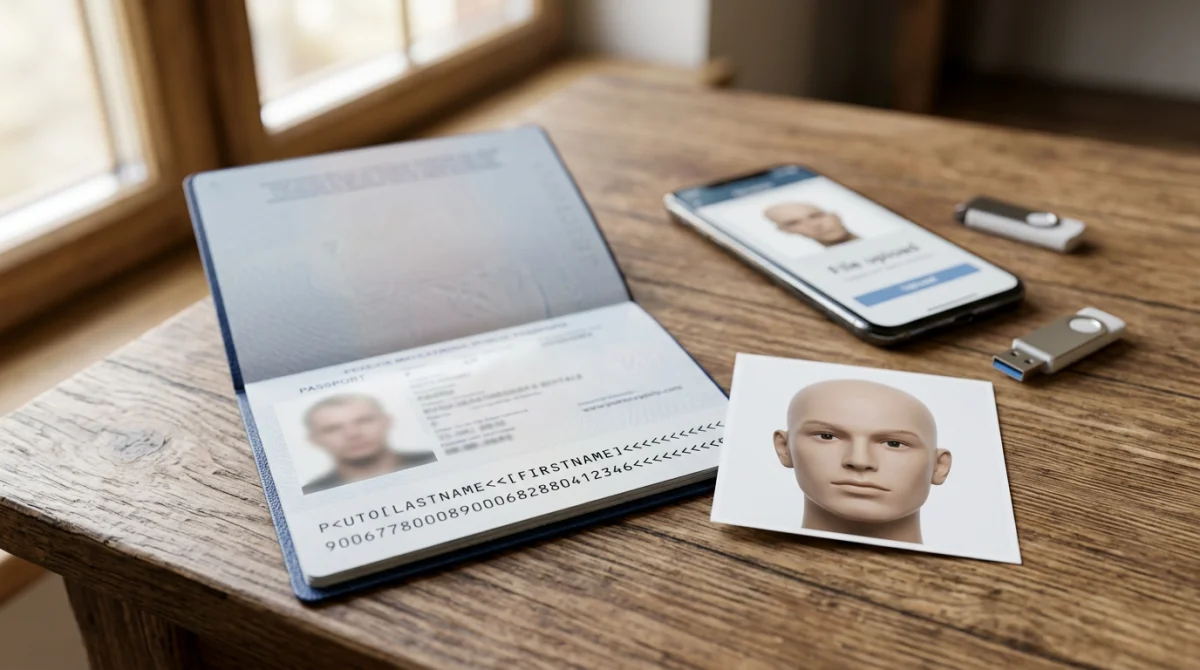
- File format: JPEG/JPG only. PDF, PNG, BMP, and HEIC are rejected.
- Maximum file size: approximately 500 KB. Compress larger files before re-uploading.
- Minimum pixel dimensions: 300 x 300 px.
- Background: white.
- Expression: neutral with mouth closed; ears must be visible.
- Earrings: must be removed.
- Headwear: allowed only for religious purposes.
- Passport bio page scan: must include the full Machine Readable Zone (MRZ) at the bottom. ASAN Visa OCR rejects scans where the MRZ is obstructed by fingers, glare, or cropping.
- Children and infants: a mandatory e-visa is required for all ages.
- Dual nationality: applicants must apply and travel using the same corresponding passport.
UK passport holders should not confuse UK photo standards with Azerbaijan eVisa rules – photos meeting UK specs may still fail if format or size is non-compliant.
Why Your Azerbaijan eVisa Photo Upload Fails – Every Error Fixed
| Error Message | Likely Cause | Fix |
|---|---|---|
| “File type not supported” / “Invalid format” | Wrong file format (PNG, BMP, HEIC from iPhone) | Convert to JPEG/JPG only; iOS users: Settings > Camera > Formats > Most Compatible |
| “File too large” / “File exceeds size limit” | File exceeds ~500 KB ceiling | Compress via TinyPNG or “Save for Web” at 80% JPEG quality |
| “Photo does not meet requirements” | Dimensions below 300 x 300 px or non-white background | Resize to minimum 300 x 300 px; ensure plain white background |
| “Document cannot be read” / upload freezes | MRZ obstructed, glare, or low-resolution scan | Rescan passport bio page at 300 DPI; remove fingers and flash hotspots; retry in Google Chrome |
| Generic failure, no message | Session timeout or token expiration | Reload evisa.gov.az, log in again, re-upload within the same session |
If the file is accepted but the application is later rejected, distinguish: system rejection (instant) for format/size/MRZ issues, and manual review rejection (up to 3 working days) for shadows, glare, or altered background. System rejection = fix/re-upload same day; manual review = retake and reapply. Standard processing takes 3 working days; urgent e-Visa processing takes 3 hours regardless of holidays.
How to Prepare Your Photo: Convert, Resize, and Compress for Azerbaijan eVisa
iPhone HEIC photos are rejected by the Azerbaijan eVisa portal; convert to JPEG via iOS Settings or a free converter. Follow these steps for the ASAN Visa system:
Convert HEIC to JPEG on iOS
Settings > Camera > Formats > Most Compatible. Existing HEIC: Files app or iLoveIMG.
Export on Android
Open Google Photos, select the image, export as JPEG.
Compress the file
Use TinyPNG to reduce below 500 KB. Set quality to 80-85% and resolution to 300 DPI to preserve MRZ legibility. Keep colour mode in sRGB.
Use a scanning app
For passport bio page scans, use Adobe Scan or Apple Notes to create a clean initial file without glare.
Strip EXIF metadata
Remove orientation data that causes sideways uploads before submitting to the Azerbaijan eVisa portal.
Avoid repeated recompression
If ASAN Visa rejects the file, return to the original image and adjust settings rather than recompressing a degraded JPEG.
Browser and Device Issues That Break the Azerbaijan eVisa Upload
Google Chrome is recommended for Azerbaijan eVisa uploads; Safari and Firefox may fail, and EXIF rotation metadata can cause sideways rejections on the ASAN Visa portal.
- Browser compatibility: Google Chrome is the recommended browser; Safari and Firefox may fail during upload. Clear your cache and disable ad-blockers before retrying.
- Session timeout: Reload page, log in, re-upload within the same session window.
- EXIF rotation: Smartphone photos may upload sideways due to embedded orientation metadata. Strip EXIF data before uploading to the Azerbaijan eVisa portal.
- Payment freeze after photo upload: Do not refresh the page. Switch to a different browser; if the issue persists, contact VFS Global at [email protected] (operating hours 06:00-18:00 IST, all days). Include your visa application number in the subject line.
- Accepted payment cards: UnionPay is accepted. Cardholder name does not need to match the applicant name.
- Accidental duplicate payment: Contact VFS Global Helpdesk for resolution.
Form Validation Errors in the Azerbaijan eVisa Application
Azerbaijan eVisa form fields accept Latin characters only; copy name spelling from passport MRZ to avoid red-field validation errors on the ASAN Visa portal.
- Non-Latin characters trigger instant rejection: The ASAN Visa portal blinks red when Cyrillic characters (e.g., “ə” instead of “e”) appear in name, surname, birthplace, or address fields. Copy all spelling directly from the Machine Readable Zone at the bottom of your passport bio page.
- Date format: Use DD/MM/YYYY throughout the Azerbaijan eVisa application.
- Submitted application: No editable corrections are permitted after submission. Ensure all fields are correct before clicking submit.
- Approved e-visa with data discrepancy: Treated as invalid. Verify all details match your passport exactly.
- Dual nationality: Must apply and travel using the same corresponding passport.
- Foreign media correspondents: Require accreditation at the Ministry of Foreign Affairs of the Republic of Azerbaijan before applying.
Avoiding Third-Party eVisa Intermediaries for Azerbaijan
The government eVisa portal is evisa.gov.az at approximately 25 USD (20 USD base + 5 USD service); sites like evisa.com.az are private agencies charging 55-70 USD with their own upload interfaces that introduce additional errors.
- evisa.gov.az (government portal): ~25 USD, standard processing 3 working days, urgent 3 hours.
- evisa.com.az (private agency): ~70 USD, mandatory hotel booking or travel service requirement.
- evisa.co.az / Pasha Travel (private agency): ~55 USD, emails sent from @pashatravel.az.
- VFS Global (authorised operator): online.vfsevisa.com, ~25 USD, same ASAN Visa system.
- E-visa extension: Contact the State Migration Service at www.migration.gov.az or [email protected]. Apply at least 3 working days before your current stay expires. Only for emergencies.
Frequently Asked Questions – Azerbaijan eVisa Photo Upload
What file format does the Azerbaijan eVisa portal accept for photos?
The ASAN Visa portal strictly accepts JPEG or JPG file formats only. Accepted: .jpg/.jpeg only; PDF/PNG/BMP/HEIC are rejected and will trigger an azerbaijan evisa photo upload failed error.
How do I resize my passport photo for Azerbaijan eVisa upload?
Use a free online resizer like iLoveIMG or TinyPNG. Resize to at least 300 x 300 px, compress below 500 KB, save as JPEG to comply with ASAN Visa requirements.
Why does my Azerbaijan eVisa photo upload fail on Safari but work on Chrome?
The ASAN Visa portal is optimised for Chromium-based browsers like Google Chrome. Safari and Firefox may experience session timeouts or EXIF rotation metadata issues. Use Google Chrome to resolve these technical errors.
Can I convert a HEIC iPhone photo to JPEG for the Azerbaijan eVisa?
Yes. iPhone users must convert HEIC photos to JPEG. Go to iOS Settings > Camera > Formats > Most Compatible. Existing HEIC: Files app or iLoveIMG.
What is the maximum file size for an Azerbaijan eVisa passport scan?
Max file size: ~500 KB. Keep MRZ legible after compression – use JPEG 80% quality or JPEGmini.
My Azerbaijan eVisa application was rejected after photo upload, can I reapply?
Yes, you can reapply via the online service. Ensure your passport still has at least 6 months validity from date of arrival and 1 blank page.
How strict are Azerbaijan eVisa photo requirements?
System rejection is instant for wrong format, oversized files, or unreadable MRZ. Manual review rejection occurs up to 3 working days after submission for shadows, glasses glare, or altered background. Both require correction before reapplying through the ASAN Visa portal.
Is evisa.com.az the same as the government Azerbaijan eVisa portal?
No. The government portal is evisa.gov.az, charging ~25 USD. Sites like evisa.com.az or evisa.co.az are private intermediary agencies charging 55-70 USD with mandatory hotel booking requirements.
What do I do if my payment freezes after uploading the photo to ASAN Visa?
Do not refresh the page. Clear your browser cache, disable ad-blockers, and try a different browser. If the issue persists, contact VFS Global support at [email protected]. Include your visa application number in the subject line. Support operates daily from 06:00 to 18:00 IST.