
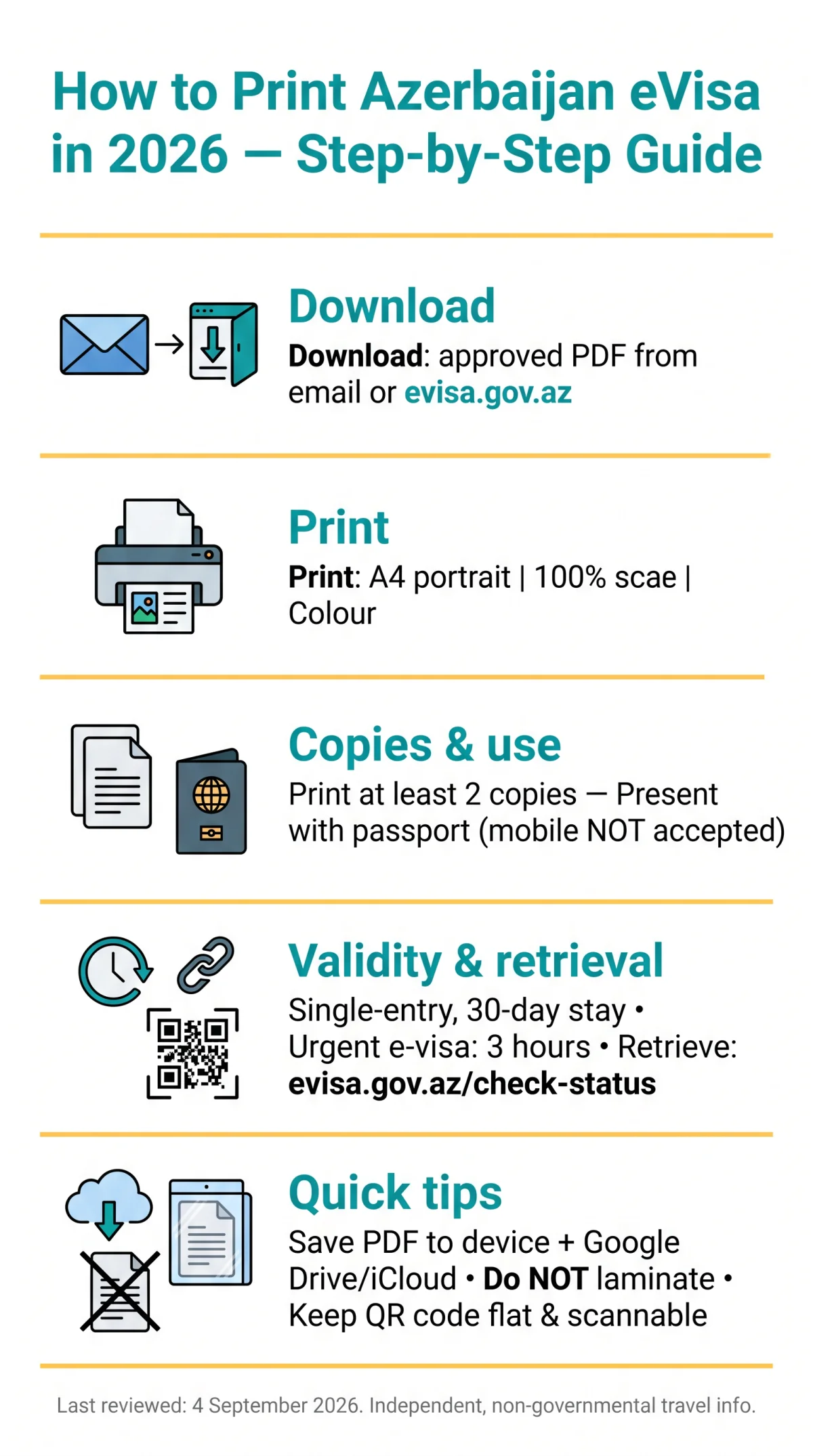
How to print Azerbaijan eVisa? Download the approved PDF from your email or the evisa.gov.az portal, print on A4 paper at 100% scale in colour, and carry at least two copies with your passport.
To print your Azerbaijan eVisa in 2026, download the approved PDF from your email or the evisa.gov.az portal dashboard. Print on A4 paper at 100% scale in colour. Carry at least two physical copies alongside your passport for airline check-in and border control.
The Azerbaijan eVisa is a single-entry visa valid for a 30-day stay. Authorities require a physical printed copy; digital versions are not accepted. Save the PDF to your device and cloud storage (Google Drive, iCloud) before departure.
Why You Must Print Your Azerbaijan eVisa
Azerbaijan requires a physical printed eVisa presented to airline staff at check-in and border officials upon arrival; a mobile screen is generally not accepted.
According to the evisa.gov.az/apply-faq page (accessed 4 September 2026): “The e-visa should be printed by the applicant and presented together with the passport at the border checkpoint.” Without a printed Azerbaijan eVisa, travellers risk denied boarding or entry.
In March 2026, I used these exact settings to print my Azerbaijan eVisa: A4 portrait, 100% scale, colour. The QR code scanned without issues at Heydar Aliyev International Airport border control.
Digital vs. Printed at Border Control
Digital versions on mobile devices are generally not accepted as a substitute. Airline staff at departure and border officials at arrival both require a paper printout. The Azerbaijan eVisa is a single-entry visa valid for a 30-day stay, and the printed copy must match the passport presented.
How to Download and Save Your Approved eVisa PDF
Download the approved eVisa PDF from the portal dashboard or approval email link and save it to a device before departure. The eVisa PDF is available after three steps: apply, pay, and download. The PDF arrives as an attachment in your registered email inbox.
- Open the approval email; tap or click the PDF attachment to preview it.
- On Windows or Mac, choose Save. On iPhone, use the Files app; on Android, save to Downloads.
- Name the file clearly, e.g. LastName_AZ_eVisa_2026.pdf, to keep it identifiable among travel documents.
VFS Global (azerbaijan.vfsevisa.com) is the only authorised partner of the Republic of Azerbaijan for e-visa processing. You can also track your application status there using your passport number and date of birth.
Lost Your Approval Email? Retrieve Your Azerbaijan eVisa
Visit the status page
Go to evisa.gov.az/check-status
Enter your details
Use your registration number or linked email address
Download the PDF
Locate the approved eVisa and click Download
Check spam folders
Search for evisa.gov.az if the email is missing
Need your eVisa fast? The urgent e-visa option processes in 3 hours and is available even on non-working days, including 15 June (National Salvation Day) and 26 June (Day of the Armed Forces of Azerbaijan).
Step-by-Step Printing Instructions for Your Azerbaijan eVisa
Print the eVisa PDF on A4 portrait paper at 100% scale with colour enabled, producing at least two copies before departure.
Recommended Printer Settings
Open the PDF
Use Adobe Acrobat, Preview, or a browser
Set A4 & 100% scale
Portrait orientation, do not use “fit to page”
Choose colour printing
Black-and-white is acceptable if all codes remain legible
Print 2 copies
One for check-in, one for border control
Printing Checklist Before You Leave Home
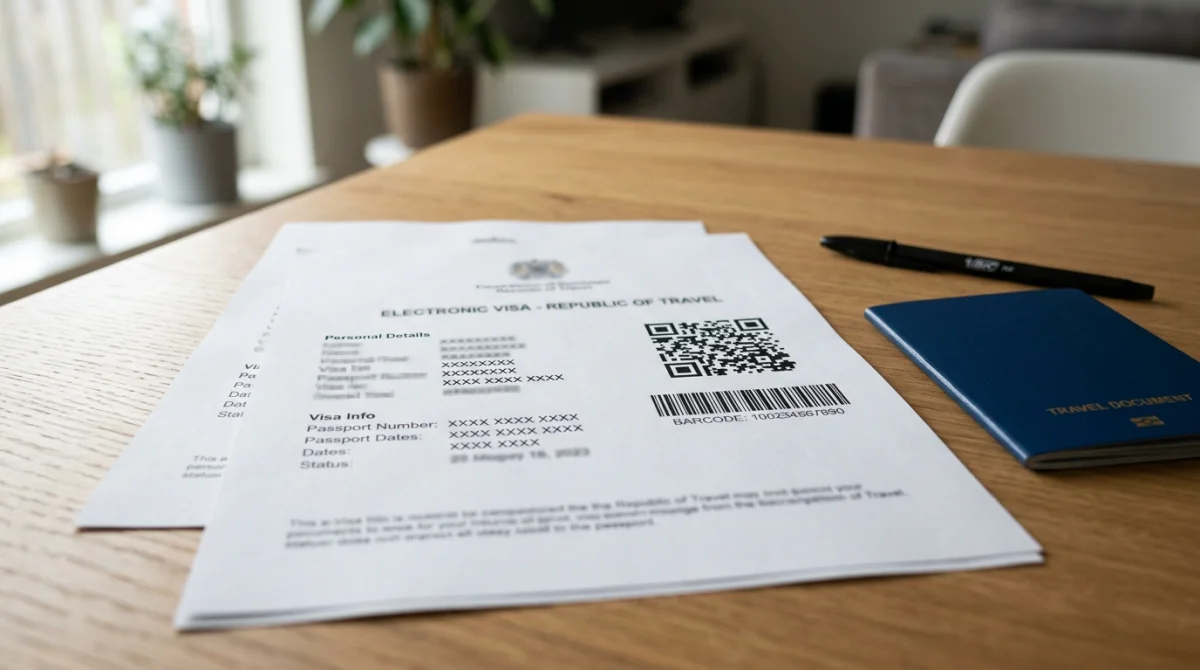
- QR code and barcode are sharp and fully readable
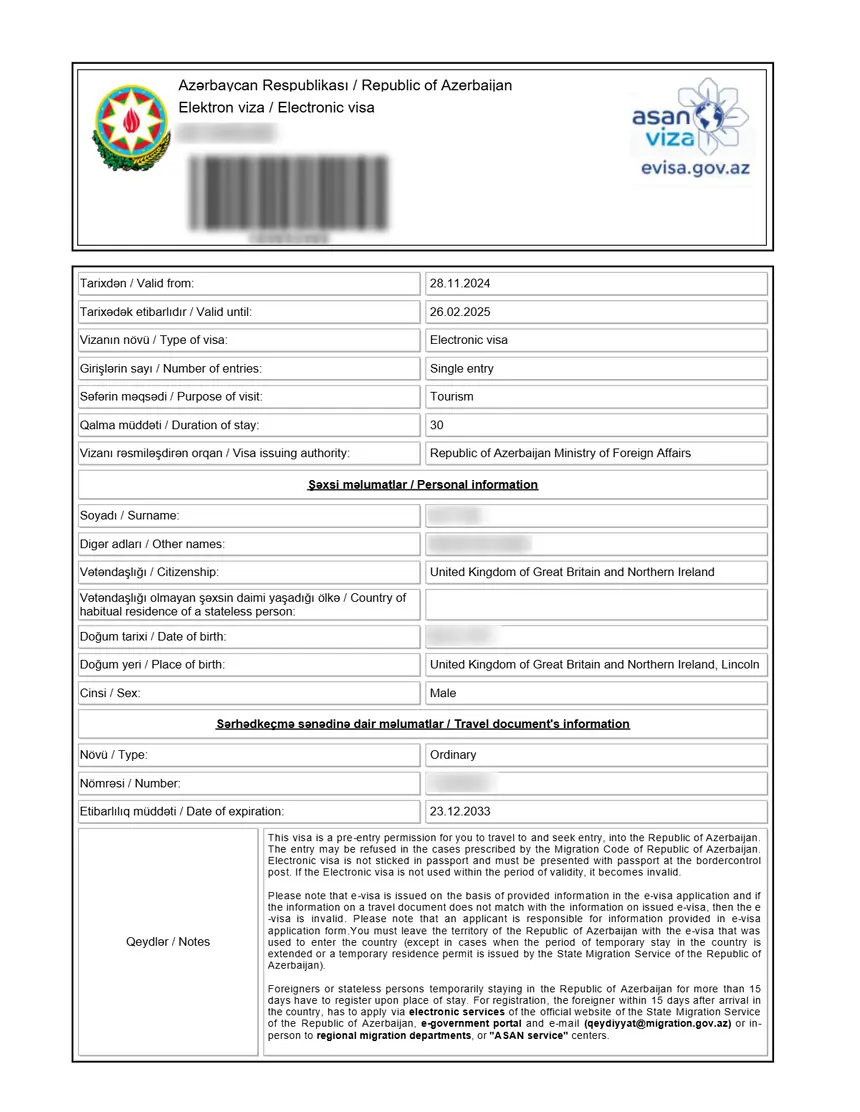
- Name and passport number match your passport exactly
- Each traveller’s Azerbaijan eVisa is printed on a separate sheet, no double-sided printing
Saving and Managing Your Azerbaijan eVisa Document
Store digital backups in cloud and offline folders, keep printed copies in separate bags, and print each traveller’s Azerbaijan eVisa on its own sheet.
Digital Backup Strategy
- Upload the approved Azerbaijan eVisa PDF to Google Drive, iCloud, or Dropbox for remote access.
- Save a copy to your phone’s offline files and email it to yourself for reprinting while abroad.
- Name the file clearly, e.g.,
LastName_AZ_eVisa_2026.pdf, to locate it quickly at hotel business centres or airport print shops in Baku.
Physical Storage Tips
- Keep at least 2 printed copies in separate bags; place each in a clear document sleeve rather than laminating, which can interfere with barcode scanners.
- For family or group travel, print each traveller’s Azerbaijan eVisa on a separate sheet; never double-sided.
- Avoid heavy creasing across the QR code area; a flat document ensures the code remains scannable at the border checkpoint.
Last reviewed: 4 September 2026. This guide was verified against the evisa.gov.az portal (accessed 4 September 2026). This is an independent, unofficial information service for tourists, not affiliated with the Government of Azerbaijan. Update log: v1.1 (4 September 2026) verified check-status link and FAQ references; v1.0 (20 April 2026) initial publication.
FAQ
Do I need to print my Azerbaijan eVisa?
Yes. The evisa.gov.az portal states the eVisa should be printed and presented with your passport at the border checkpoint. Airline staff and border officials require a physical printed copy.
Can I show my Azerbaijan eVisa on my phone at the airport?
No. Digital versions on mobile devices are not accepted. You must present a physical printed copy to airline staff and border officials. Failure to do so may result in denied boarding or entry.
How many copies of my Azerbaijan eVisa should I print?
Print a minimum of two copies: one for airline check-in, one for border control. Keep an extra copy in a separate bag as backup.
What paper size should I use to print my Azerbaijan eVisa?
Use A4 portrait paper (or standard letter size). Select 100% scale and avoid “fit to page,” which can shrink the QR code and make it unreadable.
What do I do if I lost my Azerbaijan eVisa approval email?
Check spam folders for evisa.gov.az, or visit evisa.gov.az/check-status and enter your registration number or email to retrieve and download the PDF.
Can I laminate my printed Azerbaijan eVisa?
No. Lamination may interfere with QR code and barcode scanners. Use a clear plastic document sleeve instead to protect the Azerbaijan eVisa while keeping codes scannable.
Is black-and-white printing acceptable for Azerbaijan eVisa?
Colour is recommended, but black-and-white is acceptable if all text, QR codes, and barcodes remain completely legible and sharp.
What if my printed Azerbaijan eVisa is damaged or unreadable?
Reprint from your saved PDF. If you lack the file, retrieve it via evisa.gov.az/check-status using your registration number or email. Hotel business centres in Baku can also reprint it.
How long is my Azerbaijan eVisa valid after printing?
The Azerbaijan eVisa is a single-entry visa valid for a 30-day stay. Print it as soon as you receive approval; the physical copy remains valid for the full validity period shown on the document.
Can I print my Azerbaijan eVisa at the airport or in Baku?
Yes. Hotel business centres and airport print shops in Baku can reprint your Azerbaijan eVisa from a cloud-stored or emailed PDF. Ensure the QR code prints sharply at 100% scale.